Mobile and Internet Banking

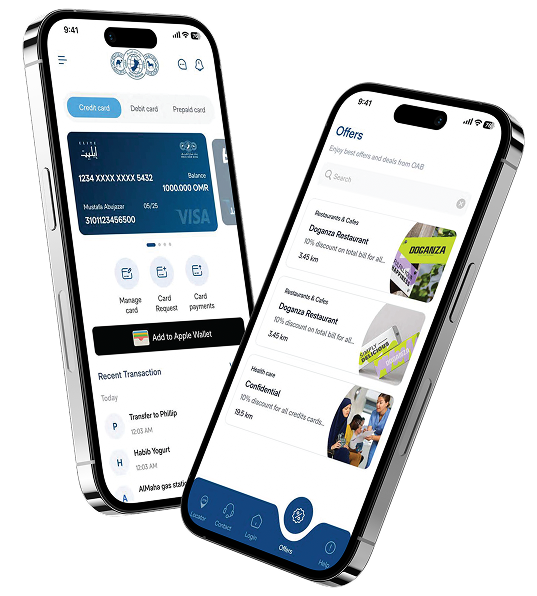
Oman Arab Bank offers a secure, innovative, and user-friendly Digital Banking platform accessible via Mobile and Internet Banking. Our customers can conveniently manage their finances, perform transactions, and access banking services 24/7—anytime, anywhere.

Benefits

With the OAB Online App and Internet Banking, you can:

Open a new OAB account
  • through a seamless digital onboarding process via the mobile app.
Open additional savings accounts
Track account balances and transactions
Transfer funds:


  • Between your own OAB accounts
  • To other OAB customers
  • To local and international bank accounts
  • Instant international transfers iSend
View transaction history for accounts and cards
Instant Loans
payments:
  • Utility bills
  • Mobile top-ups
  • Donations to approved charitable Organizations 
Card Management Services:
  • Set or reset debit and credit card PINs
  • Control transaction settings

Mobile Banking Features

Feature Highlights

Instant International transfers (iSend)

Our new, easy-to-use, and instant international remittance service. Enjoy instant transfers through iSend supported over 50 countries including: UAE, India, Pakistan, Bangladesh, Sri Lanka, Singapore, Philippine, Egypt, Morocco, United Kingdom, and more.

Download Account and Credit Card statements in PDF

Get instant access to your statements on the go with the OAB App.

Benefit from secure transactions with SMS verification and notifications

Be confident with secure SMS verification and notifications with the OAB App.

Mobile Payment

Make payments 24/7 with ease on the OAB app.

Make Donations

Users can make donations to various causes through the application

Insurance

Get covered in just a few easy steps with our general insurance plans.

Utility Payments & Mobile Top-up

Keep on top of your bills and make mobile top ups with OAB app.

Card control

Effortlessly set a new PIN for their debit and cards and have the option to reset their credit card PIN.
You can also apply to our services:

Apply for a loan
Apply for a loan deferment
Cheque book request

App Download

How to Download OAB APP?

Step 1

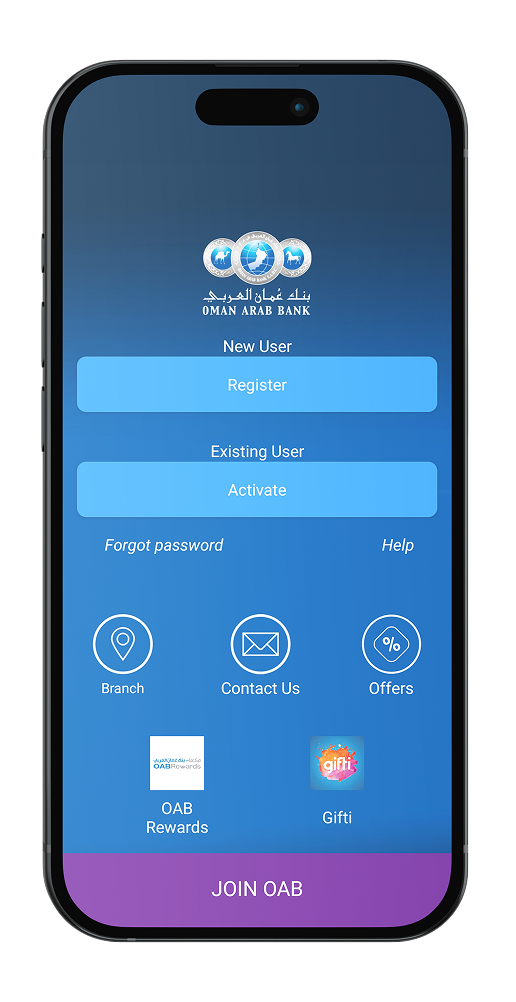
Download the OAB App on Apple Store, Google Play or Huawei App Gallery

Step 2

Enter your account details (6 digits), last 4 digits of your debit card number, and card pin

Step 3

Enter your User ID and password

Step 4

Start mobile banking with OAB

DOwnload app

Everything you need, in the palm of your hand

Download the OAB App today and enjoy banking convenience 24 hours a day, 7 days per week.

Help and Support

We Are Here to Help

1. What is Oman Arab Bank Online Banking?

Oman Arab Bank’s Online Banking platform lets you manage your banking needs 24/7 from anywhere. You can check balances, transfer money, pay bills, apply for products, and much more—securely and conveniently from your mobile or desktop.

  • Omni-channel login: Same User ID & Password for Mobile and Internet Banking
  • Mobile-optimized: Fully responsive for all screen sizes
  • Bilingual: Available in English and Arabic
  • Easy access: Improved navigation and user-friendly design

Retail customers can register online using:

  • Basic Account Number (6 digits)
  • Last 4 digits of Debit Card
  • Card PIN

You can also retrieve your User ID and reset your password securely using your registered mobile number and OTP.

  • View balances and statements for Savings, Current, Loan, FD, Credit & Prepaid Cards
  • Access mini and detailed account statements
  • View credit card billed, unbilled, and EMI transactions
  • Loan schedule and disbursement inquiry
  • Use an exchange rate calculator
  • Between your own OAB accounts
  • To other OAB accounts (via account number, mobile number, alias, or QR code)
  • To local bank accounts within Oman
  • To international bank accounts
  • Use iSend for instant transfers to 50+ countries
  • Transfer in cross-currencies
  • Pay utility bills (Omantel, Ooredoo, Awasr, OIFC, ONEIC, MEDC)
  • Recharge mobile phones
  • Pay school fees
  • Contribute to PASI
  • Pay OAB Credit Card bills
  • Top-up Prepaid Cards
  • Request a cheque book
  • Open a Fixed Deposit
  • Apply for a loan or E-IPO
  • Update personal info (GSM, email, phone, address etc)
  • Set/reset PINs for Debit, Credit & Prepaid cards
  • Submit complaints or service requests
  • Secure Token for OTP-based transaction approvals
  • SMS & Email Alerts for all financial & non-financial transactions
  • Encrypted platform with multi-layer authentication

E-Mandate is an automatic payment service that allows you to:

  • Set up one-time or recurring payments
  • Choose fixed or variable amounts
  • Enable safe, hands-free transfers on scheduled dates
  • Control mandate settings (revocable or irrevocable)

Simply go to the E-IPO section and select the IPO you wish to apply for. Enter your details and confirm your application in a few easy steps.

Yes. You can set standing instructions for:

  • Utility bill payments
  • Fund transfers
  • E-Mandates

Explore More

You May Also Like